# Db limited to 1000 records, again
**URL:** https://community.dreamfactory.com/t/db-limited-to-1000-records-again/4418
**Category:** Schema & Data
**Created:** [May 14, 2018, 2:25pm UTC](https://community.dreamfactory.com/t/db-limited-to-1000-records-again/4418 "2018-05-14T14:25:59Z")
**Posts on this page:** 7
**Page:** 1
### Author:  [@JeffBlackwell](https://community.dreamfactory.com/u/JeffBlackwell)
#### Post date: [May 14, 2018, 2:25pm UTC](https://community.dreamfactory.com/t/db-limited-to-1000-records-again/4418/1 "2018-05-14T14:25:59Z")
I’m getting records, and I appear to be limited to 1000 records per pull. I’ve changed the .env file after trying to RTFM, cleared caches, restarted machine, etc. still no joy…
Am I missing something? Version = 2.12 for the record. using the db service.
---
### Author:  [@Erik\_Jacobsen](https://community.dreamfactory.com/u/Erik_Jacobsen)
#### Post date: [May 15, 2018, 1:32am UTC](https://community.dreamfactory.com/t/db-limited-to-1000-records-again/4418/2 "2018-05-15T01:32:08Z")
Hi @JeffBlackwell ,
When you say you changed the .env file, are you referring to the max records returned?
[ ](https://cl.ly/1n0e1b251J1L)
I haven’t changed my default here, so it is still commented out and unchanged.
When you said you cleared the caches, did you mean you had used `php artisan config:clear` and `php artisan cache:clear`?
Are you using a Bitnami installer or a manual GitHub install?
Thanks,
Erik
---
### Author:  [@JeffBlackwell](https://community.dreamfactory.com/u/JeffBlackwell)
#### Post date: [May 15, 2018, 2:10am UTC](https://community.dreamfactory.com/t/db-limited-to-1000-records-again/4418/3 "2018-05-15T02:10:42Z")
That’s exactly what I changed in the .env file.
Bitnami windows installer.
I didn’t use php artisan, I cleared the caches via the df app config page, cache menu item. Like below:

---
### Author:  [@JeffBlackwell](https://community.dreamfactory.com/u/JeffBlackwell)
#### Post date: [May 15, 2018, 2:36am UTC](https://community.dreamfactory.com/t/db-limited-to-1000-records-again/4418/4 "2018-05-15T02:36:54Z")
Thanks for looking at it.
Here’s the steps that I followed.
1. Normal 2.12. windows install
2. made a table in the sqlite (db service).
3. Loaded table with 15000 ish records.
4. Use either client or API documentation, db service GET /\_table/tablename (would expect to get all records)
5. get 1000 back
6. change .env file as above
7. clear caches in the app as noted
…still get 1000 records - would expect to get more.
Thanks so much for taking a look at it!
---
### Author:  [@Erik\_Jacobsen](https://community.dreamfactory.com/u/Erik_Jacobsen)
#### Post date: [May 15, 2018, 2:46pm UTC](https://community.dreamfactory.com/t/db-limited-to-1000-records-again/4418/5 "2018-05-15T14:46:28Z")
No problem Jeff. Can you please go to the services tab and increase the max records returned on your SQLite service?

When you clear the system caches, it only clears the local cache of the services, it doesn’t clear and reset configuration changes in the underlying PHP / Laravel code. An easy workaround should be what I suggest. If you are wanting to be able to use some of the Linux based commands, you can always use [https://git-scm.com/download/win](https://git-scm.com/download/win) . I use this on my Windows box since my primary coding interface is through the Mac O/S. This will create a Git shell that will mimic a Linux environment, enabling you to run a lot of the commands easily through the terminal interface.
An easier answer:
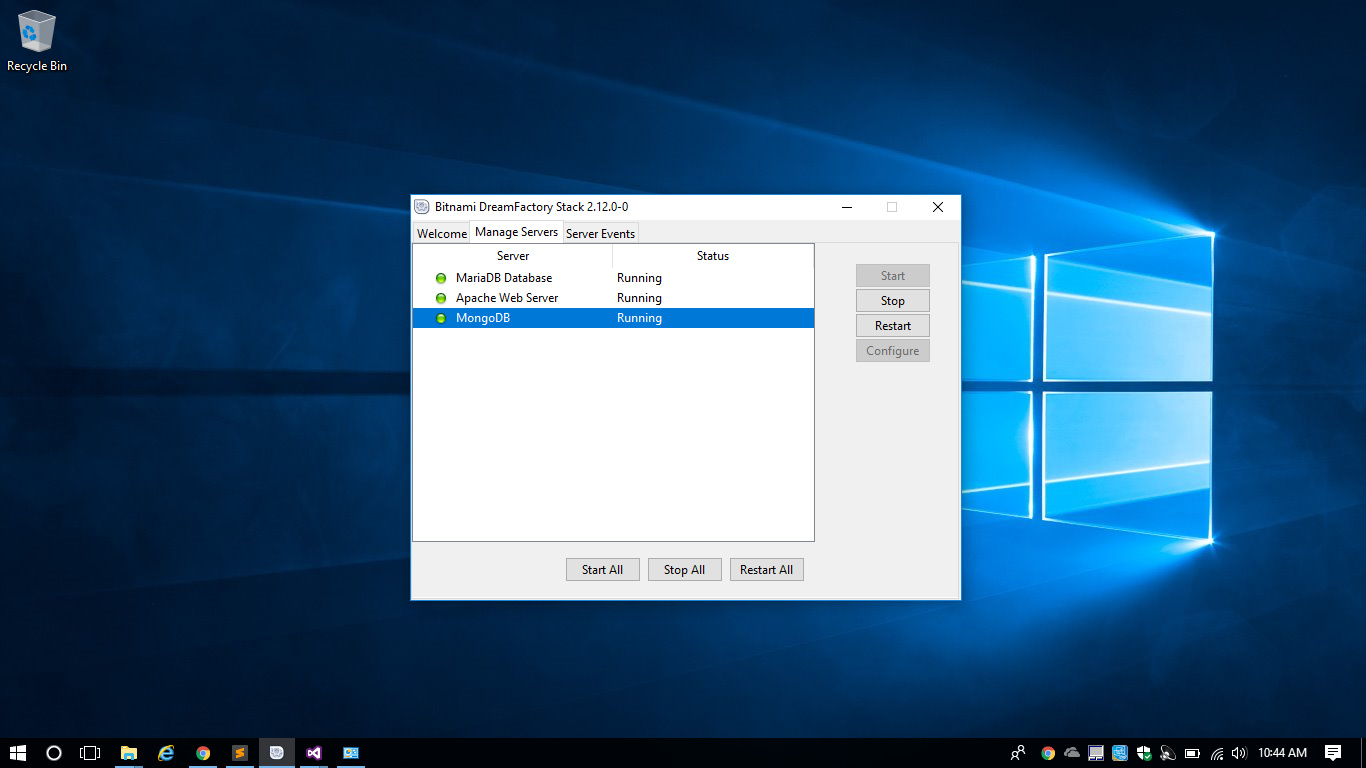
You can also restart the servers on the Bitnami widget and that should have the same effect.
---
### Author:  [@JeffBlackwell](https://community.dreamfactory.com/u/JeffBlackwell)
#### Post date: [May 15, 2018, 3:12pm UTC](https://community.dreamfactory.com/t/db-limited-to-1000-records-again/4418/6 "2018-05-15T15:12:01Z")
Thank you , sir. That appears to do the trick.
---
### Author:  [@Erik\_Jacobsen](https://community.dreamfactory.com/u/Erik_Jacobsen)
#### Post date: [May 15, 2018, 4:06pm UTC](https://community.dreamfactory.com/t/db-limited-to-1000-records-again/4418/7 "2018-05-15T16:06:36Z")
Awesome, @JeffBlackwell! So glad it is up and running for you. Have a great week!